
GPS Tracker: Location Tracking
ANKO Solutions LLCParenting
4.5644.00 Reviews
- Version
- 2.11.21-google
- Installs
- 5.00M
- Age Rating
- Everyone
Screenshots

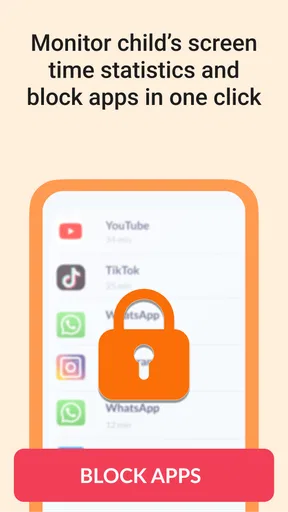
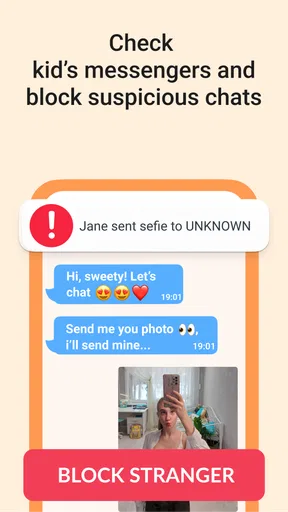
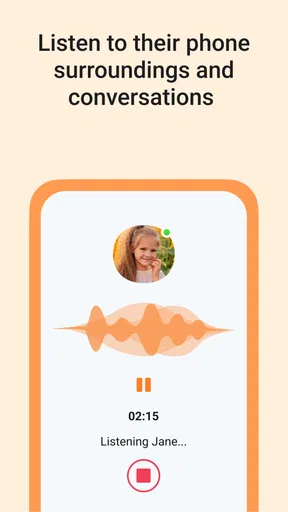
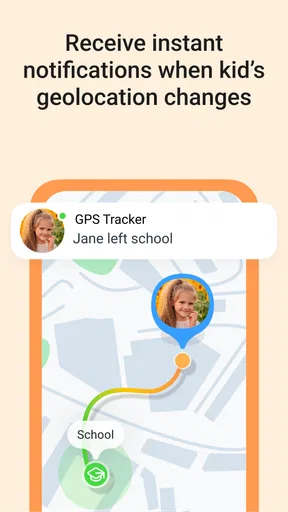
Our Review of GPS Tracker: Location Tracking
 Analysis by Appyee
When a child is on the way home, a family member is travelling, or plans change at the last minute, a shared map can be more useful than another round of “Where are you?” messages. GPS Tracker: Location Tracking is a parenting app from ANKO Solutions LLC built around that practical need. I’d treat it as a way for people who have agreed to share their location to coordinate and check in—not as a substitute for a conversation, a safety plan, or a child’s growing independence.
Where location-sharing apps can get frustrating
The first thing to understand is that a location app depends on more than the person looking at the map. The person being located needs to have joined the shared arrangement, and the phone needs to be able to provide a current location. If a family member has not accepted an invitation, their marker is not something you can simply switch on from your own device. That consent-based setup is an important boundary, but it also explains why a map may not show everyone right away.
There is a human side to this friction, too. A child may feel watched if the family has not talked about why location sharing is being used, while a parent may be tempted to check the map instead of asking directly. I think the app works best when everyone understands the purpose—such as confirming a trip home or coordinating a pickup—and when the family agrees on when checking is reasonable. That keeps a practical tool from becoming a source of needless tension.
Location should also be read as a helpful indication, not a promise that someone is standing at a precise point. Phones can have trouble getting a fresh position in some circumstances, and a person who is moving may appear differently from someone who has stopped. If the map looks unexpected, I would check in with the person before drawing conclusions. A brief message can resolve more than repeatedly refreshing a screen.
Setup checks that save time later
Before relying on a shared map for a school pickup or a journey, I’d set it up together while everyone is available. Install the app, create or access the account, send the invitation, and make sure the other person accepts it. Then open the map on both phones and confirm that the intended people appear. Doing this at home is less stressful than trying to sort out an account or invitation while waiting outside a busy building.
It is also sensible to check the phone’s location settings and make sure the app can use location in the way the phone allows. Battery-saving settings, a low battery, or a poor connection can affect how quickly a phone updates its position; the exact controls vary by device. I would not assume an empty or stale map means the other person has deliberately stopped sharing. Ask them to open the app and check their own phone before changing the family setup.
The app is free to install, but it includes in-app purchases ranging from $0.49 to $349.99 per item. I’d look at the purchase details inside the app before paying for anything and make sure the amount and purpose are clear. If you are setting it up for a child, it is worth handling purchase approvals on the family device rather than leaving an unexpected checkout as part of the first-use experience.
Using GPS Tracker as a family routine
For everyday use, the most helpful approach is to connect location checks to a specific routine. For example, a parent could check whether a child appears to be travelling home after an agreed activity, then send a message if the plan needs clarification. The map can reduce uncertainty during that gap, but it cannot tell you why someone has stopped or whether plans have changed. A call or text remains the right next step when the situation needs an explanation.
Place alerts can be useful when they match places the family genuinely cares about, such as a regular destination or agreed meeting point. I would keep the setup focused instead of adding boundaries for every place a child visits. Too many alerts can turn a useful heads-up into background noise, and then the important notification is easier to overlook. Agreeing which arrivals or departures matter makes the feature more useful and less intrusive.
Location history can help a family retrace the broad shape of a day, but I would avoid treating it as a minute-by-minute record of someone’s intentions. It may help answer a practical question about a route or a stop; it cannot explain what happened there. For a child, that distinction matters: use history to start a calm conversation, not to make an accusation based on a dot on a map.
Recovering when the map does not look right
If a person is missing from the map, I’d work through the simple checks in order: confirm that the invitation was accepted, make sure the right account is being used, and ask the other person to open the app and review their phone’s location settings. If the location appears old, check whether the phone has battery and a usable connection. These steps are more useful than repeatedly removing and re-adding people before finding out whether the issue is local to one device.
When only one person’s location seems affected, compare what each person sees and identify which phone needs attention. When nobody’s map is updating, check the connection on the devices involved and try again once it is available. I’d also keep a simple backup plan—such as a text or agreed call—because no location app should be the only way a family can confirm a pickup or respond to a change of plans.
Alerts can be confusing if a person passes near a saved place without actually arriving, or if the phone updates late. Rather than adjusting every setting at once, I’d first observe what happens during a normal trip and then decide whether a boundary needs to be changed. A short test run helps separate a setup that needs refinement from a one-off delay, without turning a routine journey into a troubleshooting session.
When the app may not be the problem
A location mismatch does not automatically mean the app is broken or that someone has ignored an agreement. Indoor locations, device settings, network availability, and battery-saving behavior can all affect what a phone reports. The sensible response is to check the person’s actual situation through an ordinary message or call, then troubleshoot the device if the mismatch keeps happening. For urgent concerns, contact the person or use the appropriate local help rather than relying on a map to make the decision for you.
There is also a limit to what location tracking can offer a parent. It can support coordination, but it does not replace teaching a child what to do if plans change, identifying a trusted adult, or agreeing on a check-in routine. I’d use it alongside those conversations. Families who want a phone-management tool focused on screen time, app limits, or web filtering should compare dedicated parental-control options instead of assuming a location-centered app covers those needs.
Who is likely to find it useful
This is a better fit for households where location sharing answers a recurring, specific question: whether a child has started a familiar journey, where to meet during a group outing, or whether family members have reached an agreed destination. It can also help coordinate a day when people are arriving separately. In those situations, a shared map may be quicker than repeated status messages, especially when everyone has already agreed to use it.
It is less suitable for someone who wants to track another person without their knowledge, for families who are uncomfortable sharing location, or for anyone expecting the app to guarantee safety. It is also not the best choice if you only need an occasional one-off location share; a built-in map or messaging option already available to your group may be simpler. The right choice depends on whether a continuing family routine is worth the extra app and setup.
Compared with a basic map-sharing tool, a parenting-focused tracker puts the family use case front and center, including checking a person’s whereabouts and working with place-based alerts. A general family-safety service may offer a broader set of household tools, while a phone’s built-in sharing feature can be more convenient for people already using the same platform. I would choose based on what the family actually needs, how comfortable everyone is with the arrangement, and whether the other people involved can use the same workflow.
What to expect from the app
The app has an average rating of 4.4 from around 103,000 ratings, and it has been installed over a million times. Those figures suggest that many people have tried it, but they do not tell me whether its setup suits a particular family or phone. I’d pay more attention to whether invitations work smoothly for the people you want to include and whether the map updates reliably during your usual trips.
It is free to download, rated for Everyone, and the current Android version is 2.10.57-google, with Android 8.0 as the minimum operating-system requirement. The app was released on July 12, 2023. If you are installing it on an older phone, check the operating-system requirement first; even a compatible phone still needs working location and network settings for the app to be useful.
For a realistic weekday example, imagine a child leaving an after-school activity while a parent is preparing dinner. The parent can check the shared map to see whether the journey appears to have begun, then use a message if the route or timing seems different from what they agreed. If the child’s marker stops updating, the parent should not assume the worst or treat the screen as proof of what happened. A direct check-in and a backup pickup plan are more dependable than a string of refreshes.
My practical verdict
Have you ever found yourself in a situation where you're anxiously trying to figure out where someone is, be it a family member or a friend? Enter the GPS Tracker: Location Tracking app, a nifty tool that's here to make sure you never have to stress over this again. After spending some quality time with this app, I’ve got the lowdown on what makes it tick and why you might want to give it a whirl.
First things first, let’s talk about the setup. The app is available for both Android and iOS, so no one’s left out of the loop. Downloading and installing the app is a breeze, no tech wizardry required. Once you open the app, it greets you with a clean and user-friendly interface that even my grandma could navigate without breaking a sweat.
To get the ball rolling, you’ll need to create an account or link it to your existing social media accounts, which is super convenient. Once that’s done, you can start adding the people you want to keep track of. It’s as simple as sending an invite and having them accept it. Easy peasy, right?
Features That Make It Stand Out
So, what sets GPS Tracker: Location Tracking apart from the sea of other tracking apps? For starters, it offers real-time location tracking, which means you can see exactly where your loved ones are at any given moment. It’s like having a personal detective in your pocket, minus the trench coat and magnifying glass.
Another cool feature is the location history. You can check where someone has been throughout the day, which can be pretty handy if you’re trying to piece together a timeline or just curious about their daily adventures. Plus, the app sends notifications for arrivals and departures from designated places, so you’re always in the loop.
One thing I found particularly useful is the geofencing feature. You can set up virtual boundaries and receive alerts when someone enters or exits these zones. It’s a great tool for parents who want to ensure their kids are sticking to their agreed-upon routes.
Privacy and Security
Now, I know what you’re thinking. Is this app safe? Rest assured, the developers have put a lot of thought into privacy and security. All data is encrypted, ensuring that your location information doesn’t end up in the wrong hands. You also have full control over who can see your location, so if you're feeling a bit private, you can easily toggle the visibility.
Moreover, the app requires mutual consent for tracking, meaning you can’t track someone unless they’ve agreed to it. This feature ensures that everyone’s privacy is respected, which is a big thumbs up in my book.
Real-Life Applications
Alright, let’s talk about how you can actually use this app in your day-to-day life. For families, it’s a game-changer. You can keep track of your kids’ whereabouts, ensuring they’re safe without having to constantly check in. It’s also a blessing for those family road trips, making sure no one gets left behind at the rest stop.
For friends, it’s a great way to coordinate meet-ups. You can easily see who’s running late and who’s already there, saving you those endless "Where are you?" texts. Plus, if you’re the adventurous type, it’s perfect for hiking or traveling in groups, ensuring no one strays off the beaten path.
Final Thoughts
In a world where staying connected is more important than ever, GPS Tracker: Location Tracking offers a simple yet effective solution to keep tabs on the people who matter most. It’s packed with features that cater to both safety and convenience, making it a must-have for anyone looking to keep their loved ones close, no matter the distance.
Overall, I’d say this app is definitely worth a download. It’s intuitive, secure, and packed with functionalities that make life just a tad easier. And who doesn’t want that?
Verdict
Strengths of GPS Tracker: Location Tracking
- Real-time location updates are accurate.
- User-friendly interface for easy navigation.
- Battery usage is optimized efficiently.
- Supports family and group tracking.
- Customizable alerts for specific locations.
Limitations of GPS Tracker: Location Tracking
- Requires constant internet connection.
- Limited features in free version.
- Some privacy concerns for users.
- Occasional app crashes reported.
- High data consumption in tracking mode.
Similar Picks in This Category
View All
Family Space
Motorola Mobility LLC.3.9

شرطة الأطفال - مكالمة وهمية
Oub Apps4.1

Findmykids: Parental Control
LETEM LTD4.6

Pregnancy + | Tracker App
Philips Electronics UK Limited4.8

Policía de niños - para padres
Kids police4.7

Pregnancy App
Amila4.9
Frequently Asked Questions
How accurate is the GPS Tracker: Location Tracking app?
The GPS Tracker: Location Tracking app offers high-level accuracy by utilizing advanced GPS technology. It can pinpoint locations within a few meters, depending on environmental factors such as signal strength and interference. Users can typically expect reliable accuracy for urban and rural areas alike, making it suitable for personal and professional use.
Does the app consume a lot of battery power?
GPS tracking apps can be resource-intensive, and GPS Tracker: Location Tracking is no exception. It uses significant battery power when actively tracking locations, especially if running continuously in the background. However, the app includes power-saving features to minimize battery usage, such as adjustable tracking intervals and sleep modes.
Is my location data secure when using this app?
Yes, the app prioritizes user privacy and data security. All location data is encrypted and stored securely. The app also complies with stringent data protection regulations, ensuring that your information remains private and is not shared with third parties without your explicit consent.
Can I use the app offline?
The GPS Tracker: Location Tracking app requires an internet connection for real-time updates and to share location data. However, it can still track locations offline using GPS signals. Offline tracking data will sync with the app once a connection is re-established, ensuring continuous monitoring.
What devices are compatible with the GPS Tracker: Location Tracking app?
The app is compatible with most Android and iOS devices, requiring a minimum operating system version for optimal performance. It supports smartphones and tablets, making it versatile for different users. Always check the app’s store page for specific device compatibility and system requirements before downloading.
